10 Best AI Tools for Content Creators in 2026
Explore the 10 Best AI Tools for Content Creators in 2026 for video, audio, YouTube, podcasts, visuals, social media, and branded content.
10 Best AI Tools for Content Creators in 2026
Content creators rarely struggle because they lack ideas. The real challenge is turning those ideas into polished content every week.
One video may require research, scripting, recording, editing, captions, thumbnails, and promotion. A podcast needs clean audio, show notes, short clips, and social posts.
Bloggers also need visuals, content planning, and distribution.
The best AI tools for content creators can reduce this workload. They help with specific production tasks while leaving creative direction in your hands.
This guide focuses on purpose-built tools for creators. You will find options for long-form writing, branded campaigns, visuals, video production, voiceovers, podcast recording, repurposing, and YouTube growth.
Quick Answer: What Are the Best AI Tools for Content Creators?
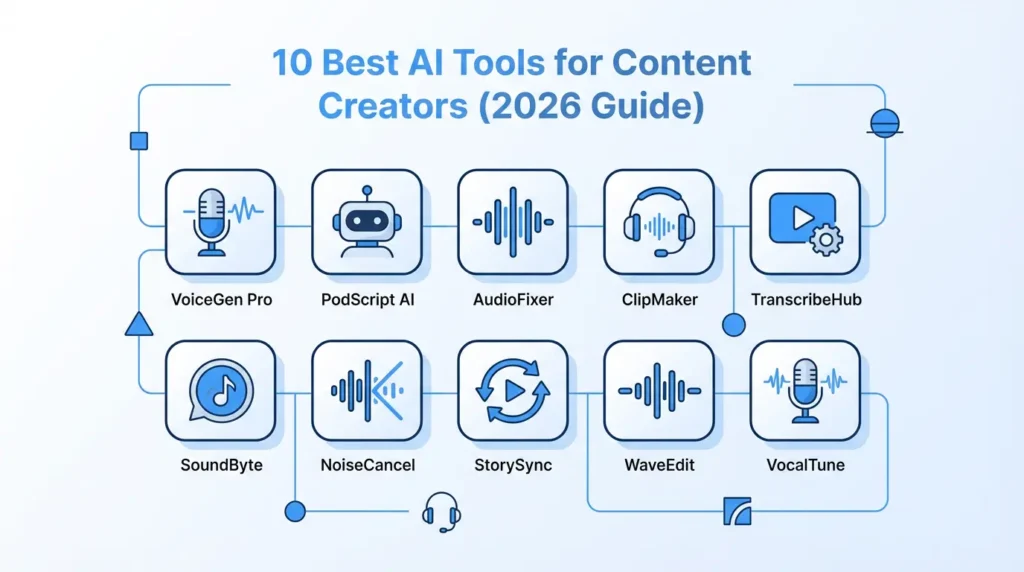
The best AI tools for content creators in 2026 include:
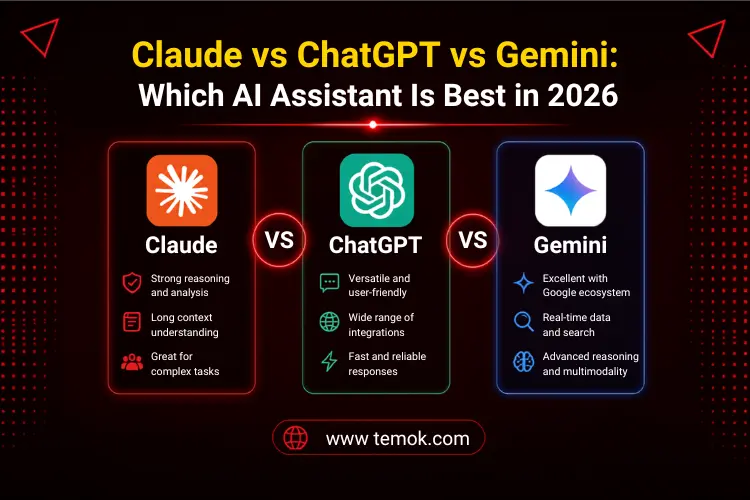
- Claude for research and long-form planning.
- Jasper for branded marketing content.
- Adobe Firefly for creative visuals.
- Runway for AI video generation
- Descript for video and podcast editing
- ElevenLabs for voiceovers and dubbing
- Reverside for remote recording
- OpusClip for short-form video repurposing
- Buffer AI Assistant for social media content
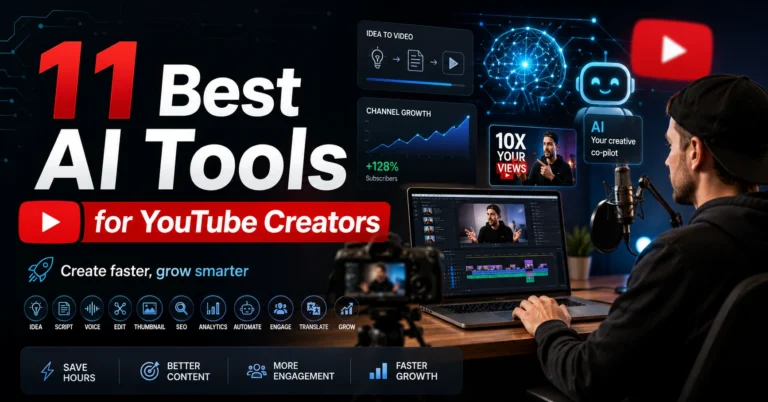
- VidlQ for YouTube planning and optimisation
Each tool solves a different problem. Your ideal choice depends on what you create and where you publish it.
Best AI Content Creation Tools: Quick Comparison
| AI tool | Best for | Key creator task |
|---|---|---|
| Claude | Long-form planning | Research, briefs, scripts, and content structure |
| Jasper | Marketing teams | Branded campaigns across several channels |
| Adobe Firefly | Visuals creators | Images, backgrounds, storyboards, and design assets |
| Runway | Video generation | AI scenes, creative clips, and video transformation |
| Descript | Video and podcasts | Transcript-based editing and audio cleanup |
| EvenLabs | Voice content | Narration, dubbing, and multilingual voiceovers |
| Riverside | Remote recording | Podcasts, interviews, webinars, and video calls |
| OpusClip | Content repurposing | Turning long videos into short social clips |
| Buffer AI Assistant | Social media | Captions, post variations, and scheduling |
| VidlQ | YouTube creators | Video ideas, titles, scripts, and channel planning |
How We Selected These AI Tools
A long feature list does not always make a tool useful. Creators need software that fits into a real publishing workflow.
The tools in this guide were selected using five factors:
- The creator problem each tool solves
- Control over the final output
- Time saved during production
- Support for popular content formats
- Ability to fit into a larger workflow
We also avoided filling the list with general chatbots. Instead, every option supports a clear part of content production.
New users can first explore our guide to the best free AI tools for beginners in 2026.
1. Claude – Best For Long-Form Content Planning
Claude is useful when a project begins with large amounts of information.
You can provide research notes, interview transcripts, reports, brand documents, or rough ideas. Claude can then help organise that material into a clear content structure.
For example, a YouTuber can use it to turn research into a detailed script outline. A blogger can use it to compare source material and identify missing sections. A course creator can organise several lessons into a logical sequence.
Claude is also helpful when you need to maintain context across a long project.
Where Claude fits into a creator workflow
Use Claude before production begins. Give it your source material, audience details, goal, and preferred format.
It can help you prepare:
- Detailed content briefs
- Long-form article structures
- Video series plans
- Podcast episode outlines
- Interview questions
- Newsletter sequences
- Content repurposing maps
- Brand documentation
Choose Claude When
Choose Claude when your main challenge is organising information rather than generating quick captions.
It works especially well for research-heavy blogs, educational channels, documentaries, courses, and detailed video essays.
Keep in mind
Do not treat generated summaries as verified facts. Check important claims against the original sources before publishing.
2. Jasper – Best for Branded Marketing Content
Jasper is designed for creators and teams that need consistent marketing content.
Many creators publish across websites, email newsletters, advertisements, and social platforms. Keeping the same tone across every channel can become difficult.
Jasper lets businesses build brand context around their audience, products, writing style, and preferred language. That context can then guide campaign content.
This makes Jasper different from a basic writing assistant. Its strongest use is not producing one random article. It is creating connected content for a complete campaign.
Where Jasper fits into a creator workflow
Start with a campaign brief. Add your target audience, key message, offer, brand tone, and publishing channels.
Jasper can then support:
- Product launch campaigns
- Email sequences
- Landing page copy
- Social media posts
- Advertising variations
- Website messaging
- Promotional articles
- Multi-channel content plans
Choose Jasper When
Jasper is suitable for marketing teams, content agencies, ecommerce brands, and creators managing several client accounts.
It is also useful when several people produce content for the same brand.
Keep in mind
Solo creators may not need every feature. Compare the platform with your actual workload before adding another subscription.
3. Adobe Firefly – Best for Creative Visual Content
Adobe Firefly gives creators one place to generate and edit visual assets.
It can help develop images, backgrounds, design elements, storyboards, mood boards, video clips, speech, and sound effects. These features make it useful beyond simple text-to-image generation.
A creator can use Firefly during the idea stage and the production stage.
For example, you can create a mood board before filming. You can generate background elements for a thumbnail or expand an image to fit another platform.
You can then refine the result in other Adobe applications.
Where Adobe Firefly fits into a creator workflow
Use Firefly when visual production is slowing down your publishing schedule.
It can support:
- Blog header images
- Podcasts cover concepts
- YouTube thumbnail elements
- Product backgrounds
- Social media graphics
- Storyboards
- Mood boards
- Short video scenes
- Sound effects
- Creative campaign concepts
Choose Adobe Firefly when
Firefly is a strong option for designers, photographers, video editors, marketers, and creators already using Adobe software.
It also suits teams that want several creative formats in one workspace.
Keep in mind
Runway focuses on generative video and creative video transformation.
It can turn written ideas or reference images into video clips. It can also help change scenes, create different camera views, transform existing footage, and develop consistent visual elements.
This gives creators more flexibility when filming every scene is difficult or expensive.
A travel creator could generate a transition shot. A product channel could test several campaign concepts. A filmmaker could build visual references before production begins.
Where Runway fits into a creator workflow
Runway works best for short creative scenes rather than complete unedited videos.
Use it for:
- Cinematic B-roll
- Video introductions
- Creative transitions
- Concept trailers
- Music video scenes
- Product visualizations
- Animated backgrounds
- Story experiments
- Scene variations
- Visual effects
Choose Runway When
Choose Runway when video quality and creative control matter more than one-click simplicity.
It is especially relevant for filmmakers, video artists, music creators, advertising teams, and advanced social media creators.
Keep in mind
AI-generated clips may contain visual errors. Check faces, hands, text, object movement, and scene consistency before using them.
Longer stories may also require several clips joined inside an editor.
5. Descript – Best for Editing Videos and Podcasts
Descript changes the way creators edit spoken content.
Instead of working only with a traditional timeline, you can edit the recording through its transcript. Removing a sentence from the text also removes that part of the audio or video.
This makes editing easier for creators who produce interviews, tutorials, podcasts, webinars, or talking-head videos.
Descript can also help remove filler words, create captions, improve audio, and find sections for shorter clips.
Where Descript fits into a creator workflow
Upload or record your content. Let Descript create a transcript, then edit the recording like a document.
You can use it for:
- Podcast editing
- Talking-head videos
- Interview cleanup
- Automatic captions
- Audio enhancement
- Screen recordings
- Webinar editing
- Filler-word removal
- Show notes
- Promotional clips
Choose Descript When
Descript is ideal for creators who spend too much time cutting spoken recordings.
It suits podcasters, YouTubers, online teachers, coaches, interviewers, and business content teams.
Keep in mind
Transcript-based editing works well for speech. Complex films may still require a traditional editor for detailed effects, colour work, and sound design.
6. ElevenLabs – Best for AI Voiceovers
ElevenLabs helps creators turn written scripts into natural-sounding speech.
It is useful when recording your own voice is difficult. It can also support multilingual content, character voices, narration, and audio dubbing.
A YouTube creator can produce narration for a documentary. A course creator can add voice to lessons. A brand can prepare several language versions of the same campaign.
Creators can also design a voice or clone their own voice for approved projects.
Where ElevenLabs fits into a creator workflow
Finish your script before generating the final audio.
Break longer scripts into smaller sections. This makes it easier to control pronunciation, emotion, pacing, and pauses.
ElevenLabs can support:
- YouTube narration
- Podcasts introductions
- Audiobooks
- Educational videos
- Character dialogue
- Product explainers
- Multilingual dubbing
- Documentary voiceovers
- Advertisements
- Short social videos
Choose ElevenLabs When
Choose ElevenLabs when voice quality is important to your content.
It is especially useful for faceless YouTube channels, filmmakers, educators, audiobook creators, and international brands.
Keep in mind
Review every generated recording. Names, abbreviations, and technical words may need pronunciation adjustments.
Only clone a voice that belongs to you or that you have permission to use.
7. Riverside – Best for Rescording Podcasts and Interviews
Riverside brings recording, editing, and repurposing into one platform.
It is built for remote podcasts, interviews, webinars, live streams, and video conversations. Hosts can invite guests without creating a complicated technical setup.
The platform records separate tracks for participants. This gives creators more control during editing.
After recording, you can prepare transcripts, captions, summaries, show notes, and short clips.
Where Riverside fits into a creator workflow
Use Riverside when another person needs to join your content.
It can support:
- Remote podcast episodes
- Expert interviews
- Customer stories
- Video testimonials
- Online webinars
- Virtual events
- Panel discussions
- Course interviews
- Live streams
- Social media clips
Choose Riverside When
Riverside is best for podcasters, coaches, consultants, educators, agencies, and brands producing interview-led content.
It can replace several separate recording and editing tools for a simple production.
Keep in mind
Good software cannot completely fix a poor recording environment.
Ask every guest to use headphones, sit in a quiet room, and test their microphone before starting.
8. OpusClip – Best for Repurposing Long Videos
OpusClip turns long recordings into shorter social videos.
It analyses podcasts, interviews, webinars, and YouTube videos to find sections that may work as individual clips.
The platform can reframe horizontal footage for vertical platforms. It can also add captions and apply brand elements.
This is useful for creators who already have valuable long-form content but lack time to repurpose it.
Where OpusClip fits into a creator workflow
Upload a finished long video after publication.
OpusClip can help prepare content for:
- YouTube shorts
- Instagram Reels
- TikTok
- LinkedIn video
- Facebook reels
- Podcast promotion
- Webinar highlights
- Interview clips
- Educational snippets
- Product demonstrations
Choose OpusClip When
Choose OpusClip when you publish long videos, podcasts, interviews, or webinars regularly.
It is particularly useful for creators following a long-form to short-form strategy.
Keep in mind
Do not publish every generated clip automatically.
A selected section may have a strong sentence but lack context. Check the opening, ending, captions, and framing first.
9. Buffer AI Assistant – Best for social media content
Buffer AI Assistant supports the writing and distribution side of social media.
It can help brainstorm post ideas, rewrite content, adjust tone, and prepare platform-specific variations. Buffer can then schedule those posts across connected channels.
This combination is useful because writing and publishing happen in the same workflow.
For example, you can turn one podcast idea into a LinkedIn post, a short caption, and several discussion prompts.
Where Buffer AI Assistant fits into a creator workflow
Add Buffer near the end of your production process.
Start with an original article, video, podcast, or newsletter. Then adapt its main ideas for each social platform.
Buffer can support:
- Caption generation
- Post variations
- Content shortening
- Tone changes
- Idea generation
- Social media scheduling
- Cross-platform repurposing
- Promotional posts
- Content queues
- Publishing consistency
Choose Buffer AI Assistant When
Buffer works well for solo creators, freelancers, small businesses, and social media managers.
It is especially useful when inconsistent publishing is limiting your growth.
Keep in mind
Each platform has a different audience.
Do not publish identical captions everywhere. Adapt the hook, length, format, and call to action for each channel.
10. VidlQ – Best for YouTube Content Planning
VidlQ is designed around the needs of YouTube creators.
It can help find video ideas, develop titles, create outlines, draft scripts, suggest descriptions, and plan thumbnails.
These features focus on YouTube discovery rather than general content writing.
A creator can use vidlQ before recording to understand topic demand. It can also help improve how a finished video is packaged.
Where vidlQ fits into a creator workflow
Use vidlQ during topic research and before uploading a video.
It can help with:
- YouTube topic ideas
- keyword research
- Video titles
- Script outlines
- Complete scripts
- Video descriptions
- Thumbnail concepts
- Channel analysis
- Competitor research
- Content planning
Choose VidlQ When
VidlQ is suitable for established YouTubers and new channels.
It is particularly useful when you struggle with topic selection, titles, thumbnails, or a consistent upload plan.
Keep in mind
A strong title cannot save a weak video.
Use data to guide your decisions, but focus on audience retention, clear storytelling, and valuable content.
Best AI Tool Combinations for Different Creators
Most people do not need ten separate subscriptions.
A small creator stack is easier to manage. Choose tools that solve different parts of your workflow.
Best AI stack for YouTube creators
A YouTube creator could combine:
- vidlQ for ideas and video packaging
- Descript for editing
- ElevenLabs for approved voiceovers
- OpusClip for Shorts
- Adobe Firefly for visual assets
This stack supports planning, production, editing, and repurposing.
Best AI stack for podcasters
A podcaster could use:
- Claude for episode research
- Riverside for recording guests
- Descript for editing
- OpusCLip for promotional clips
- Buffer for social distribution
This workflow turns one recording into several content formats.
Best AI stack for social media creators
A social creator could combine:
- Adobe Firefly for visual content
- Runway for creative video scenes
- Buffer for captions and scheduling
- OpusClip for repurposing long videos
This combination works well for visual and short-form platforms.
Best AI stack for bloggers
Bloggers can use:
- Claude for research organisation
- Adobe Firefly for original visual assets
- ElevenLabs for audio versions
- Buffer for content promotion
This helps turn one article into visual, audio, and social content.
Best AI stack for marketing teams
A marketing team could combine:
- Jasper for campaign messaging
- Adobe Firefly for campaign visuals
- Riverside for interviews and testimonials
- Descript for editing
- Buffer for publishing
This keeps the campaign connected from planning to distribution.
Best AI stack for faceless contact channels
A faceless creator could use:
- Claude for research and scripts
- Runway for visual scenes
- ElevenLabs for narrations
- Descript for final editing
- vidlQ for YouTube planning
Human review remains essential at every stage.

How to Turn One Idea Into a Week of Content
The biggest advantage of AI is not to publish more random content. It is getting more value from one strong idea.
Here is a simple creator workflow.
Day 1: Develop the main idea
Use Claude to organise your research and create a clear angle.
Decide what the audience should learn or do after consuming the content.
Day 2: Prepare the script or brief
Create a detailed video script, podcast outline, or article structure.
Add your own experience, examples, opinions, and original insights.
Day 3: Create the main content
Record an interview with Riverside or produce a video with your preferred setup.
Use Runway only where generated scenes and real value.
Day 4: Edit the recording
Use Descript to remove unnecessary sections, improve audio, and add captions.
Check the complete story before exporting.
Day 5: Create supporting assets
Use Adobe Firefly for visual concepts, backgrounds, or promotional graphics.
Generate approved narration with ElevenLabs when needed.
Day 6: Repurpose the main content
Send the finished video to OpusClip.
Select the strongest short clips and improve their openings, endings, and captions.
Day 7: Distribute the content
Use Buffer to prepare platform-specific posts.
Schedule the article, clips, quotes, and discussion posts across the week.
One strong idea can become:
- One long video
- One podcast episode
- One detailed article
- Three short videos
- Five social media posts
- One email newsletter
- Several quote graphics
The idea remains the same, but each format serves a different audience need.
Where Human Creativity Still Matters
AI can speed up production, but it cannot take responsibility for your content.
Creators still need to make the most important decisions.
Original experience
Share lessons, failures, results, observations, and examples from your own work.
These details separate useful content from generic output.
Creative direction
Choose the message, story, tone, visuals, and emotional effect.
A tool can produce options, but you decide what fits your audience.
Accuracy
Check names, statistics, dates, quotations, product features, and technical information.
Never assume generated information is correct.
Context
Make sure every short clip, caption, and quote still represents the original message.
Repurposing should not change the meaning.
Rights and permissions
Review commercial-use terms before publishing generated media.
Use only voices, images, music, and source material you have permission to use.
Final quality
Watch the exported video, listen to the audio, read the captions, and test every link.
The creator remains responsible for the published result.
FAQs
What are the best AI tools for content creators in 2026?
The best AI tools for content creators include Claude, Jasper, Adobe Firefly, Runway, Descript, ElevenLabs, Riverside, OpusClip, Buffer AI Assistant, and vidlQ.
The right option depends on your main content format.
Which AI tool is best for YouTube creators?
vidlQ is useful for YouTube ideas, keywords, titles, scripts, descriptions, and channel planning.
Youtubers can combine it with Descript for editing and OpusClip for Shorts.
Which AI tool is best for podcast creators?
Riverside is useful for recording remote podcasts and interviews. Descript helps edit spoken recordings through a transcript.
OpusClip can then turn video podcast episodes into short promotional clips.
Which AI tool is best for AI voiceovers?
ElevenLabs is a strong option for narration, dubbing, character voices, and multilingual audio.
Creators should review every recording and use voice cloning only with permission.
Which AI tool can turn long videos into short clips?
OpusClip is designed to convert long-form videos into shorter clips for social platforms.
Descript and Riverside also provide tools for creating shorter content from recordings.
What is the best AI tool for social media creators?
Buffer AI Assistant is useful for writing, adapting, and scheduling social posts.
Adobe Firefly supports visual assets, while OpusClip helps produce short-form videos.
Do content creators need several AI tools?
No. Most creators only need two or three tools.
Choose one for your main content format, one for editing, and one for distribution. Add another tool only when it solves a clear problem.
Can AI create a complete YouTube video?
AI can assist with research, scripts, visuals, narration, editing, captions, and thumbnails.
However, a creator should still review the facts, story, pacing, visuals, audio, and final message.
How can creators avoid generic AI content?
Start with your own idea and experience.
Use AI for organisation and production support. Add original examples, opinion, data, screenshots, stories, and practical advice before publishing.
Are AI-generated videos and voiceovers safe for commercial use?
Commercial-use rules vary between platforms and plans.
Review the latest licensing terms before using generated video, audio, images, music, or cloned voices in paid projects.