
11 Best AI Tools for YouTube Creators in 2026
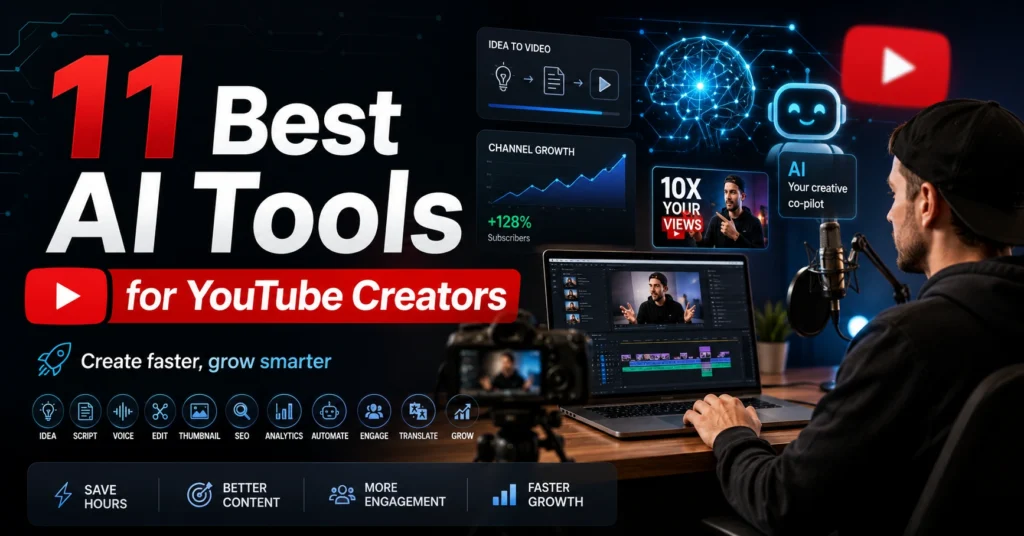
Looking for the Best AI tools for YouTube Creators in 2026? Discover 11 powerful AI tools that can help you generate video ideas, write scripts, edit faster, create eye-catching thumbnails, improve YouTube SEO, and grow your channel with less effort.
Creating a successful YouTube channel takes much more than recording a video and uploading it.
Before a video goes live, creators have to find a topic, research the audience, write a script, record or generate visuals, edit the footage, create captions, design a thumbnail, write a title and description, and finally promote the finished video.
For a solo creator, that entire process can take several hours or even an entire day.
This is where AI tools can make a meaningful difference.
Modern AI tools can help creators brainstorm video ideas, develop scripts, edit footage, generate captions, create thumbnails, improve audio, produce voiceovers, and turn long videos into shorter pieces of content.
But there is an important difference between using AI to save time and using AI to create an entire channel without adding anything original.
The second approach can easily produce generic content.
The first can help creators spend more time on the things that actually matter: expertise, storytelling, creativity, and connecting with viewers.
That’s why this guide focuses on practical use rather than simply listing popular AI products.
We’ll look at where each tool fits into the YouTube workflow, what problem it solves, when it can save you time, and where you should still rely on your own judgment.
Whether you’re starting your first channel, creating educational videos, producing Shorts, running a faceless channel, or managing content for a business, the right AI tools can make your workflow significantly more efficient.
What Can AI Actually Do for YouTube Creators?
AI is useful across almost every stage of video production.
A typical YouTube workflow looks something like this:
Topic Research → Idea Validation → Script → Recording → Editing → Captions → Thumbnail → Title & Description → Publishing → Repurposing
Different AI tools are better at different stages.
For example, a chatbot may be excellent for developing a script but completely unsuitable for professional video editing.
A video editor might help with captions and repetitive editing tasks but won’t necessarily help you discover your next high-potential topic.
This is why choosing tools based on their specific role is more useful than searching for one “best AI tool for YouTube.”
The goal isn’t to automate everything.
The goal is to remove repetitive work while keeping your creative decisions in human hands.
How We Chose These AI Tools
The tools in this guide are selected based on how useful they can be in a real YouTube workflow.
Instead of focusing only on how many AI features a platform has, the important questions are:
- How much time can it realistically save?
- Does it solve a genuine creator problem?
- Is it easy enough for beginners?
- Can it improve the final content?
- Does it work better for long-form videos, Shorts, or both?
- Can a creator use it consistently without creating more work?
Another important consideration is control.
A good AI tool should help you create faster without taking away your creative decisions.
You should still decide what your channel talks about, who you’re speaking to, what message the video delivers, and whether the final result is actually worth watching.
YouTube is only one part of the creator economy. If you also create blogs, podcasts, social posts, or visual content, check out our guide to the best AI tools for content creators.
1. ChatGPT – Best for YouTube Ideas, Research, and Scripts
A YouTube video often begins with a simple question:
What should I make next?
This sounds easy until you’ve published dozens of videos and start running out of ideas.
ChatGPT can be extremely useful at this stage because it can turn a broad subject into multiple specific video concepts. It can also help organize ideas, develop outlines, refine scripts, and improve written content. OpenAI itself describes brainstorming, writing, organizing ideas, and turning rough directions into actionable plans as useful applications for ChatGPT.
For example, imagine you run a YouTube channel about AI tools.
Instead of asking:
“Give me YouTube video ideas.”
you could provide your audience, niche, and previous content and ask for ideas that fill gaps in your existing library.
A stronger prompt would be:
“I run a YouTube channel for beginners interested in AI tools. My audience wants practical tutorials rather than technical explanations. Give me 20 video ideas that solve specific problems beginners face. Avoid generic topics and make each idea distinct from the others.”
The result is much more useful because the AI has context.
Use ChatGPT for the Script, Not Just the Topic
Coming up with an idea is only the beginning.
The next challenge is turning that idea into a video people will actually watch.
A weak YouTube script often starts with a long introduction that takes too much time to reach the main point.
A stronger script gets to the viewer’s problem quickly.
ChatGPT can help you structure a video around:
- A strong opening hook
- The viewer’s problem
- The promise of the video
- Main points
- Examples
- Transitions
- A conclusion
- A natural call to action
However, you shouldn’t simply ask it to create a complete 15-minute script and read the result word for word.
That can make the video sound predictable.
A better approach is to use AI as a writing partner.
Start with the outline.
Develop individual sections.
Add your own examples, opinions, experiences, and observations.
Then read the script aloud.
If a sentence doesn’t sound like something you would naturally say, rewrite it.
ChatGPT Can Also Help After Recording
The tool doesn’t have to disappear once your script is finished.
You can use it to brainstorm:
- Video descriptions
- Chapter ideas
- Pinned comments
- Community posts
- Shorts concepts
- Audience questions
- Alternative titles
- Follow-up videos
That makes ChatGPT useful across the entire content cycle.
Where ChatGPT Isn’t Enough
ChatGPT isn’t a complete YouTube production studio.
It cannot replace good filming, editing, storytelling, or your understanding of your audience.
It also shouldn’t be trusted to invent facts simply to make a script sound convincing.
If your video includes statistics, product specifications, current events, prices, or rapidly changing information, verify important claims before publishing.
Best For
ChatGPT is especially useful for new YouTubers, educational channels, tutorial creators, technology channels, faceless creators, and anyone who regularly struggles with what to create next.
My Recommendation
Use ChatGPT to accelerate your thinking, not replace it.
AI can generate ten hooks.
You decide which one is actually interesting.
AI can create an outline.
You decide what your audience needs.
AI can help write the script.
You provide the experience that makes the script worth watching.
2. CapCut – Best for Fast AI-Assisted Video Editing
A creator can have a great idea and a strong script and still spend hours editing the final video.
Removing pauses, cutting mistakes, adding captions, arranging clips, and preparing content for different formats can become a major part of the workload.
CapCut is useful for creators who want a relatively approachable editing environment while also benefiting from AI-assisted features.
Its biggest advantage isn’t that it magically turns raw footage into a perfect video.
Its value comes from helping reduce repetitive editing work.
Where CapCut Can Save Time
Imagine you’ve recorded a ten-minute tutorial.
The raw recording contains:
- Long pauses
- Repeated sentences
- Mistakes
- Unnecessary sections
- Silence between topics
Manually finding every weak section can take time.
AI-assisted editing can help speed up some of that repetitive work, allowing you to focus more on pacing and storytelling.
Captions are another important part of the workflow.
Automatic transcription can provide a starting point, but you should always review the captions because technical terms, names, accents, and unusual words can be transcribed incorrectly.
Long Videos Can Become Multiple Pieces of Content
Suppose you record a 20-minute YouTube tutorial.
Instead of treating it as one piece of content, you can think of it as a content source.
One recording could become:
Long-form YouTube video
↓
Several useful clips
↓
YouTube Shorts
↓
Vertical social content
↓
Community content ideas
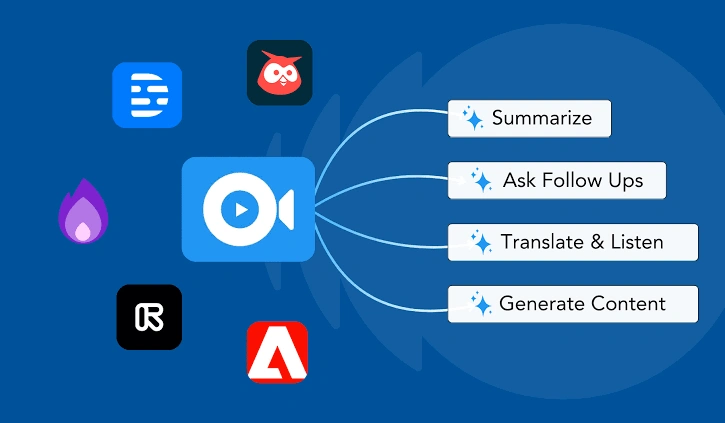
AI can make the repurposing process faster.
However, don’t publish every automatically selected clip.
You should still decide whether a particular moment is actually useful or interesting to viewers.
Where CapCut Isn’t a Magic Solution
Automated editing doesn’t automatically make a video entertaining.
A tool might correctly remove silence while accidentally removing a pause that made an important statement more effective.
Likewise, automatic captions can contain mistakes.
Human review still matters.
3. Canva – Best for YouTube Thumbnails and Channel Graphics
A great video can still struggle to attract clicks if its thumbnail is weak.
The thumbnail is often the first visual element a potential viewer notices, so creating a clear and compelling design is an important part of YouTube marketing.
Canva is particularly useful for creators who don’t have professional graphic design experience.
Instead of starting with a blank canvas, you can work from templates, modify layouts, add text, use images, and build a consistent visual style for your channel.
The Real Problem With AI Thumbnails
AI can generate attractive images.
But an attractive image isn’t necessarily a good YouTube thumbnail.
A thumbnail needs to communicate an idea quickly.
Imagine your video is:
11 Best AI Tools for YouTube Creators
A random futuristic AI image might look impressive, but it doesn’t immediately explain what the video is about.
A better thumbnail might visually communicate:
AI Tools + YouTube + Creator
with a simple composition and very limited text.
The goal is not to put the entire video title on the thumbnail.
The goal is to create curiosity while making the topic obvious
Build a Recognizable Channel Style
One of the best uses of Canva isn’t making one beautiful thumbnail.
It’s creating a repeatable visual identity.
You might use:
- The same font family
- Similar layouts
- Consistent spacing
- A recognizable logo
- A small number of recurring design elements
Over time, viewers may begin recognizing your videos before they even read the channel name.
My Recommendation
Use Canva to create a thumbnail system rather than designing every thumbnail from scratch.
AI can help you generate visual concepts, but you should still control the final composition and make sure the thumbnail accurately represents the video.
4. Descript – Best for Editing Videos Through Text
Traditional video editing can be intimidating for beginners.
You have timelines, tracks, clips, audio levels, transitions, and dozens of buttons.
Descript takes a different approach.
Instead of thinking about the video primarily as a timeline, you can work with the transcript of what was said.
That makes it particularly interesting for creators producing tutorials, interviews, podcasts, educational videos, and talking-head content.
Imagine Editing a 30-Minute Interview
Suppose your guest says something irrelevant at minute 18.
In a traditional editor, you need to find the exact location on the timeline and cut it.
With transcript-based editing, the spoken words become easier to locate and work with.
The concept is simple:
Edit the words → Improve the video
This can be especially helpful when most of your video consists of spoken content.
Why This Matters for Beginners
The biggest advantage isn’t necessarily making professional editors faster.
It’s making editing less intimidating for people who aren’t comfortable with complex timelines.
If your channel mainly consists of someone speaking to the camera, explaining a subject, or conducting interviews, transcript-based editing can make the process feel more familiar.
When Descript May Not Be Ideal
If your videos depend heavily on cinematic footage, complex visual effects, detailed animations, or advanced color work, you’ll likely still need a more traditional professional editing workflow.
My Recommendation
Consider Descript when spoken content is the heart of your videos and you want an easier way to locate, remove, and reorganize sections.
5. ElevenLabs – Best for AI Voiceovers and Narration
Not every YouTube creator wants to appear on camera.
Some channels use screen recordings.
Others use animation, stock footage, educational visuals, or completely faceless formats.
For those creators, narration can become one of the biggest production challenges.
AI voice tools can help create narration without requiring the creator to record every line manually.
ElevenLabs is one of the well-known platforms in this area.
Where AI Voiceovers Can Be Useful
Consider a tutorial channel where the creator wants to explain software using screen recordings.
Instead of recording the narration separately every time the script changes, an AI voice can be used to produce a voiceover from the finalized script.
This can be useful for:
- Tutorials
- Educational videos
- Explainer videos
- Narrated slides
- Faceless content
- Short-form videos
Don’t Ignore the Human Element
A technically perfect AI voice doesn’t automatically create a good video.
Viewers respond to pacing, emotion, storytelling, and relevance.
If every sentence is delivered with the same rhythm, the narration can feel artificial even if the voice itself sounds realistic.
That’s why your script matters.
Shorter sentences, natural pauses, appropriate emphasis, and a conversational structure can make narration much more engaging.
A Major Ethical Consideration
Don’t use someone’s voice without appropriate permission.
Voice cloning can create serious trust and impersonation problems when used irresponsibly.
For a professional channel, use voices you have the right to use and clearly consider whether AI narration fits your audience.
My Recommendation
AI voice generation is most useful when narration is necessary but recording your own voice isn’t practical.
For personal brands and channels built around the creator’s personality, your real voice will often remain the stronger option.
6. OpusClip – Best for Turning Long Videos Into Shorts
One of the hardest parts of modern YouTube creation is getting more content from every recording session.
You may spend hours creating one long-form video and then have no time left to produce Shorts.
OpusClip focuses on solving that repurposing problem.
Instead of manually watching an entire long video and searching for potentially useful moments, AI-assisted clipping can help identify sections that may work as shorter videos.
The Best Use Case
Imagine you’ve published a 25-minute interview.
Inside that interview might be:
- A controversial opinion
- A surprising answer
- A useful tutorial
- A memorable story
- A strong piece of advice
Any of those moments could potentially become a Short.
The difficult part is finding them.
An AI clipping tool can help narrow down the possibilities.
But don’t assume the first five automatically selected clips are your best content.
Review them yourself.
A technically complete clip isn’t necessarily a compelling clip.
The Three-Second Test
When reviewing an AI-generated Short, ask:
Would someone who doesn’t know me care about this within the first few seconds?
If the answer is no, improve the opening.
A Short often needs context very quickly.
That might mean removing a slow introduction and starting directly with the most interesting statement.
My Recommendation
If you regularly publish long-form videos, an AI clipping tool can help you create more content without recording everything again.
It’s particularly valuable for podcasts, interviews, tutorials, and educational channels.
If editing is the most time-consuming part of your workflow, our guide to the best AI tools for video editing compares more options for long videos, Shorts, captions, and social content.
7. vidIQ – Best for YouTube Topic and Growth Research
Creating videos is only one part of growing a channel.
You also need to decide what deserves your time.
That’s where YouTube-specific research tools become useful.
vidIQ is designed around YouTube creators and can help with areas such as topic ideas, keyword research, and channel strategy.
The important distinction is that this type of tool is not primarily a writing assistant or video editor.
Its role is helping you think about the content opportunity before you start producing the video.
Why Topic Selection Matters
Imagine you can only make one video this week.
You have two ideas:
Idea A: A topic you’re personally interested in.
Idea B: A topic that matches your audience’s interests and has a clear reason for viewers to search or click.
The second idea may be the smarter business decision.
That doesn’t mean you should blindly chase keyword volume.
You still need a topic you can explain better than competing creators.
Use Data Without Becoming a Slave to It
One mistake beginners make is treating keyword tools as if they can predict exactly which video will go viral.
They can’t.
A tool can provide useful signals, but viewer behavior is unpredictable.
A strong topic can fail because the thumbnail is weak.
A good thumbnail can generate clicks but fail because the video doesn’t deliver.
A well-produced video can still struggle because the audience isn’t interested.
Use research tools to make better decisions, not to eliminate uncertainty.
My Recommendation
vidIQ is most useful for creators who want to become more deliberate about what they publish rather than choosing every topic randomly.
8. Adobe Express – Best for Quick AI Visuals and Thumbnails
Not every creator needs a complicated design application.
Sometimes you need a thumbnail, a promotional graphic, a social post, or a quick visual asset without spending an hour building it from scratch.
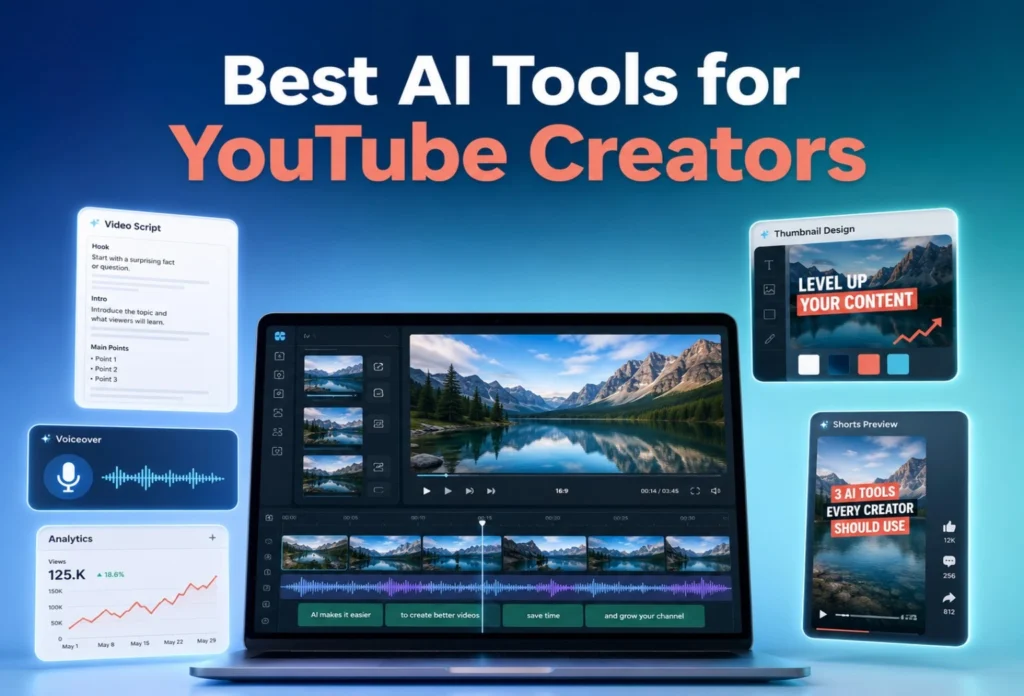
Adobe Express provides a more accessible design workflow and includes generative AI capabilities for visual creation. Adobe currently offers an AI thumbnail generator where creators can describe the desired design and then continue editing the result.
It also provides AI-assisted video generation and clipping features, which can be useful when you’re creating supporting visual content rather than an entire production from scratch.
When Adobe Express Makes Sense
Imagine you’ve finished your YouTube video.
Now you need:
- A thumbnail
- A promotional image
- A vertical social post
- A graphic for your community
- A simple visual for another platform
Instead of opening several applications, you can handle many of these smaller assets in one environment.
AI Shouldn’t Design Your Entire Brand
AI-generated graphics can look attractive, but consistency is more important than novelty.
If every video uses a completely different visual style, viewers may have difficulty recognizing your channel.
Use AI to explore ideas.
Then apply your own branding.
My Recommendation
Adobe Express is particularly useful for creators who want AI-assisted design without building a complicated professional graphics workflow.
9. InVideoAI – Useful for Creators Who Want to Start From a Prompt
Sometimes you don’t have enough footage to make the video you want.
You may have an idea and a script but no camera setup, no B-roll, and no editing experience.
AI video creation platforms can help bridge that gap.
InVideo AI is designed around a prompt-driven workflow where creators can start with an idea and use AI to assist with the creation of video content.
When This Can Be Useful
Suppose you’re creating a beginner educational channel and want to make a video explaining:
5 Ways AI Can Help Small Businesses
You could start with the concept, develop the script, and use AI-assisted video creation to assemble supporting visuals and narration.
This can be much faster than building everything manually.
But There Is a Big Difference Between Fast and Good
This is where creators need to be careful.
AI-generated videos can become repetitive when thousands of channels use similar stock footage, narration styles, and scripts.
If your entire video looks like something another creator could generate with the same prompt, there’s little reason for viewers to choose your channel.
The solution is customization.
Add your own examples.
Use original screen recordings.
Include your own commentary.
Show real demonstrations.
Replace generic visuals when they don’t support the point.
My Recommendation
InVideo AI is useful for creators who need to prototype videos quickly or produce visual content without traditional filming.
For a serious channel, treat the AI output as a starting point rather than the finished product.
10. Runway – Best for Creative AI Video Experiments
Some YouTube channels depend heavily on visual storytelling.
For these creators, generative video can open possibilities that would be difficult or expensive to film traditionally.
Runway is one of the tools creators can explore for AI-assisted visual generation and creative experimentation.
The important thing is to understand where generative video belongs in a YouTube workflow.
It doesn’t have to create the entire video.
It can create one scene.
One transition.
One background.
One visual concept.
One short sequence that would otherwise require expensive production.
Think of AI Video as a Production Ingredient
Imagine you’re making a video about the future of artificial intelligence.
Instead of showing generic stock footage for every section, you could use generative visuals to illustrate an abstract concept.
That gives the video more visual variety.
However, AI-generated footage can sometimes contain inconsistencies or visual details that don’t behave as expected.
Review every generated clip before publishing.
Who Should Explore Runway?
It’s particularly interesting for:
- Visual storytellers
- Creative channels
- Experimental creators
- AI-focused channels
- Short-form video creators
- Filmmakers testing new workflows
My Recommendation
Don’t use generative video simply because you can.
Use it when the visual actually improves the story.
That distinction is what separates creative experimentation from AI filler.
11. VEED – Useful for Browser-Based Editing and Content Repurposing
Not every creator wants to install a large desktop editing application.
Sometimes you want to edit a video quickly from your browser, add captions, resize content, or prepare a short clip for another platform.
That’s where browser-based editors such as VEED can be useful.
For creators who produce educational videos, social clips, interviews, and short-form content, having a simple online workflow can reduce the friction between recording and publishing.
Where It Fits Into the Workflow
A practical workflow might look like:
Record → Upload → Edit → Caption → Resize → Export
The simpler this process becomes, the easier it is to publish consistently.
This matters because consistency is one of the biggest challenges for small creators.
A creator who spends ten hours editing every video may eventually stop publishing.
A creator who can produce a good video in a manageable amount of time has a much better chance of maintaining a sustainable schedule.
My Recommendation
VEED is worth considering if you want a browser-based editing workflow and frequently create content for more than one platform.
The Best AI Tools for Different YouTube Tasks
You don’t need all 11 tools.
The right choice depends on what is slowing you down.
| YouTube Task | Recommended Tool |
| Video ideas and brainstorming | ChatGPT |
| Script planning and writing | ChatGPT |
| Fast editing | CapCut |
| Thumbnails and graphics | Canva |
| Transcript-based editing | Descript |
| AI voiceovers | ElevenLabs |
| Long video to Shorts | OpusClip |
| YouTube topic research | vidIQ |
| AI thumbnails and quick visuals | Adobe Express |
| Prompt-based video creation | InVideo AI |
| Creative AI video generation | Runway |
| Browser-based editing | VEED |
New to ChatGPT? Learn how to use ChatGPT for beginners before using it to brainstorm YouTube ideas, hooks, outlines, and video scripts.
The table is a starting point, not a rule.
You may discover that a different combination works better for your channel.
The Best YouTube AI Workflow for Beginners
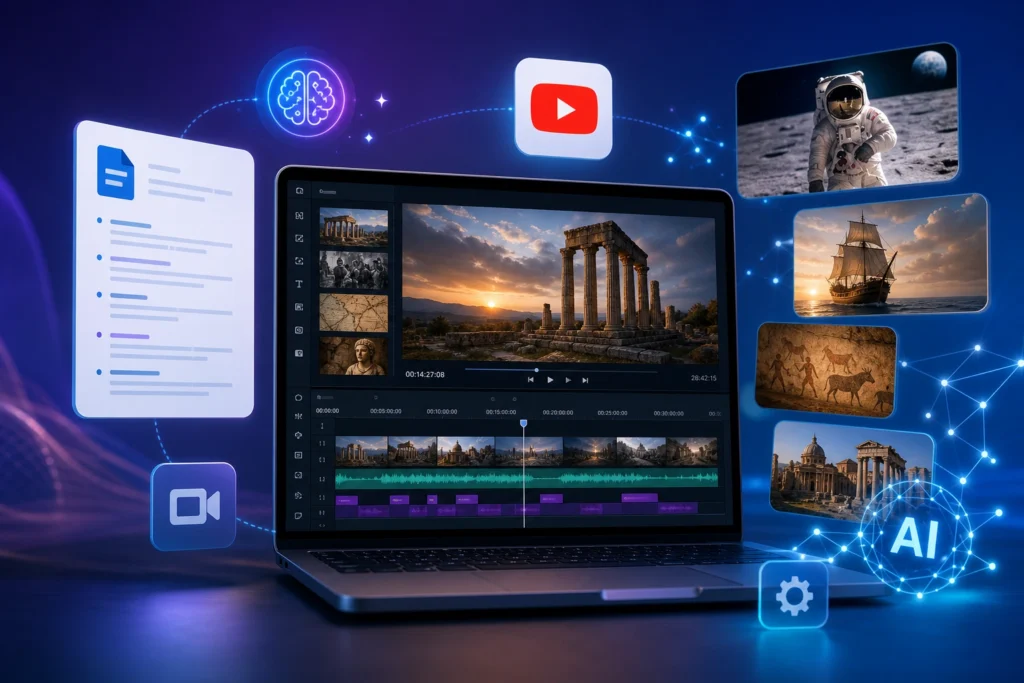
If you’re new to YouTube, don’t subscribe to every platform mentioned in this article.
Start with a simple workflow.
Step 1: Find a Real Audience Problem
Before opening an AI tool, decide who you’re helping.
A video for beginner bloggers will be completely different from a video for professional video editors.
The clearer your audience, the easier it becomes to choose useful topics.
Step 2: Research the Topic
Use YouTube search, competitor research, audience questions, and a YouTube-specific research tool when appropriate.
Don’t simply choose a topic because an AI chatbot says it is a good idea.
Look at what real viewers are asking.
Step 3: Develop the Hook
The opening of your video should quickly answer:
Why should I keep watching?
Avoid spending the first 30 seconds explaining your channel history.
Start with the problem, promise, result, question, or surprising point that matters to the viewer.
ChatGPT can help you brainstorm multiple approaches, but you should select the one that genuinely matches your video.
Step 4: Create the Outline
Break the video into logical sections.
Each section should have a purpose.
If removing a section doesn’t make the video worse, you may not need it.
This simple rule can eliminate a lot of unnecessary filler.
Step 5: Write the Script
Use AI to create a draft, but add your own examples and perspective.
If you’re reviewing software, actually demonstrate it.
If you’re teaching something, show the process.
If you’re explaining a concept, use an example that makes the idea easier to understand.
That’s where human contribution becomes much more valuable than generic AI text.
Step 6: Record the Video
Don’t aim for perfection on your first attempt.
Clear audio and useful information are often more important than expensive equipment.
If you’re comfortable appearing on camera, your personality can become a major differentiator.
If you’re building a faceless channel, compensate with strong narration, visuals, examples, and storytelling.
Step 7: Edit Efficiently
Use an editing tool such as CapCut, Descript, or VEED depending on your workflow.
Remove unnecessary pauses.
Fix obvious mistakes.
Keep the pacing appropriate for the topic.
Don’t add transitions simply because they look impressive.
Every edit should serve the viewer.
Step 8: Add Captions
Captions can improve accessibility and make videos easier to follow, particularly when viewers watch without sound.
AI can create a first version quickly.
Always proofread it before publishing.
Step 9: Create the Thumbnail
Your thumbnail should work together with your title.
Don’t simply repeat the entire title in giant text.
Instead, create a visual that makes the video’s promise understandable at a glance.
Test different concepts when possible.
Step 10: Write the Title and Description
The title should accurately represent the video while giving the viewer a reason to click.
If you want help drafting stronger titles for your videos, our AI Title Generator can suggest several click-worthy options to compare before you publish.
Avoid misleading clickbait.
A high click-through rate means little if viewers immediately leave because the video doesn’t deliver what the title promised.
Step 11: Repurpose the Video
Once the long-form video is complete, look for additional content opportunities.
One video can potentially become:
- YouTube Shorts
- Community posts
- Social media clips
- Quotes
- Educational graphics
- Follow-up video ideas
Tools such as OpusClip can help speed up the clipping process, while ChatGPT can help brainstorm additional content angles.
A Simple AI Toolkit for Different Types of Creators
You don’t need the same tools as everyone else.
If You’re a Beginner
Start with:
ChatGPT + CapCut + Canva
This combination can cover ideas, scripts, basic editing, and thumbnails.
You can learn the fundamentals before paying for more specialized software.
If You Make Educational Videos
A useful combination could be:
ChatGPT + Descript + Canva
ChatGPT can help with planning and scripts, Descript can simplify spoken-content editing, and Canva can handle visual assets.
If You Run a Faceless Channel
Consider:
ChatGPT + ElevenLabs + CapCut + Canva
The exact combination depends on the type of content, but these tools can support scripting, narration, editing, and visual design.
Remember that faceless doesn’t have to mean generic.
Your research, storytelling, examples, and presentation style should still give the channel a recognizable identity.
If You Make Long Videos and Shorts
Consider:
ChatGPT + CapCut + OpusClip + Canva
The important advantage here is repurposing.
Instead of constantly recording new content, you can get more value from each long-form recording.
If You’re Serious About Channel Growth
Consider adding a YouTube-specific research tool such as vidIQ.
The goal isn’t to predict viral videos.
It’s to make better decisions about topics, keywords, and audience interests.
Mistakes to Avoid When Using AI for YouTube
AI can make YouTube easier, but it can also create new problems when used carelessly.
Publishing Generic AI Scripts
If the script sounds like every other AI-generated video, viewers have little reason to remember your channel.
Add your own experiences, opinions, examples, demonstrations, and stories.
Using AI-Generated Facts Without Verification
AI can make mistakes.
If your video contains statistics, dates, technical specifications, medical information, financial claims, or current events, verify important information before publishing.
Your reputation is more valuable than saving five minutes of research.
Creating Videos Only Because They’re Easy
AI makes it possible to create large amounts of content quickly.
That doesn’t mean you should.
Ten mediocre videos aren’t necessarily better than one genuinely useful video.
Choose topics because they are valuable to your audience, not simply because AI can generate them quickly.
Overusing AI Voiceovers
AI narration can be useful, but if every video has the same synthetic delivery, your channel may feel impersonal.
If your personality is part of your brand, consider using your real voice.
Making Misleading Thumbnails
AI makes it easy to create dramatic visuals.
But your thumbnail should still represent the actual video.
If viewers click because of something that doesn’t appear in the video, you may gain a click but lose trust.
Letting AI Replace Your Expertise
This is perhaps the biggest mistake.
AI can explain a subject.
It doesn’t automatically have your personal experience.
If you’ve actually tested a product, solved a problem, built something, interviewed someone, or learned something through experience, include that information.
That’s the part AI cannot simply copy from a generic prompt.
Can AI-Generated YouTube Videos Actually Succeed?
Yes, but AI itself isn’t the reason a channel succeeds.
A successful channel still needs:
- A clearly defined audience
- Useful topics
- Strong storytelling
- Good titles
- Effective thumbnails
- Satisfying videos
- Consistent publishing
- Original perspective
AI can make many of these processes faster.
It cannot guarantee that viewers will care.
That’s why the best approach is to use AI as production assistance rather than treating it as a complete content strategy.
How Much AI Should You Use?
There is no universal percentage.
A better question is:
Which parts of my workflow are repetitive?
Automate those.
For example, if creating captions takes an hour, use automatic transcription.
If brainstorming takes too long, use AI for idea generation.
If editing silence takes hours, use AI-assisted editing.
But if your audience comes to you specifically because of your personal experience, don’t automate the part that makes your channel unique.
The best AI workflow is not the one that removes the most human involvement.
It’s the one that removes the most unnecessary work.
Key Takeaways
- ChatGPT is useful for brainstorming, research support, outlines, and scripts.
- CapCut can simplify repetitive video editing tasks.
- Canva is useful for thumbnails and channel graphics.
- Descript is particularly helpful for transcript-based video editing.
- ElevenLabs can help creators produce AI narration when appropriate.
- OpusClip can speed up the process of turning long videos into shorter clips.
- vidIQ can help creators make more informed decisions about YouTube topics and channel strategy.
- Adobe Express can help create AI-assisted thumbnails and visual content.
- InVideo AI can help creators build video drafts from ideas and prompts.
- Runway is useful for creative AI-generated video experiments.
- VEED can provide a convenient browser-based editing workflow.
- AI should support your expertise rather than replace it.
- Always review AI-generated scripts, captions, visuals, and facts before publishing.
- Quality, originality, and audience value matter more than simply producing more videos.
The Best AI Workflow Is the One You Can Sustain
You don’t need 11 subscriptions to become a successful YouTube creator.
Start with the tools that solve your biggest problems.
Learn them properly.
Build a repeatable workflow.
Then add new AI tools only when they provide a clear benefit.
The technology will continue to change, but the fundamentals of successful YouTube content will remain the same: understand your audience, create something useful, communicate it clearly, and give people a reason to come back.
FAQs
What is the best AI tool for YouTube creators?
There isn’t one tool that is best for every creator. ChatGPT is an excellent all-around choice for ideas and scripts, while tools such as CapCut, Canva, Descript, ElevenLabs, and OpusClip are better suited to specific parts of the production workflow.
Can AI write YouTube scripts?
Yes. AI can help generate hooks, outlines, drafts, and alternative versions of a script. However, creators should edit the result, verify facts, and add their own examples and perspective before recording.
What is the best AI tool for YouTube thumbnails?
Canva and Adobe Express are useful options for creating and customizing YouTube thumbnails. The best thumbnail isn’t necessarily the most complicated one; clarity, relevance, and strong visual communication matter more.
Can AI turn a long YouTube video into Shorts?
AI-assisted clipping tools can help identify potential short segments from longer videos. However, creators should review the clips themselves because an automatically selected section isn’t always the most interesting or contextually complete moment.
Are AI voiceovers good for YouTube?
AI voiceovers can work well for tutorials, explainers, faceless channels, and other formats where narration is required. However, creators should pay attention to pacing, pronunciation, emotion, and licensing or permission requirements.
Should beginners pay for multiple AI tools?
Usually not. Start with a small toolkit and learn how to use it well. For many beginners, a combination such as ChatGPT, CapCut, and Canva can cover a large part of the basic workflow. Add specialized tools only when you have a specific problem they can solve.
Can AI replace a YouTube creator?
No. AI can automate parts of production, but successful channels still depend on human decisions, creativity, expertise, storytelling, and audience understanding. The strongest creators use AI to reduce repetitive work while keeping their own perspective at the center of the content.
More in AI Tool Roundups

12 Best AI Tools for SEO Content Writing (Free & Paid)
Discover the 12 best AI tools for SEO content writing. Compare ChatGPT, Claude, Surfer SEO, Perplexity, Jasper, and more with real use cases, practical…

Best AI Tools for Small Business Owners in 2026
Explore the best AI tools for small business owners in 2026 for SEO, marketing, design, local SEO, sales, customer support, research, and daily business…

ChatGPT vs Gemini vs Claude: Which AI tool is best in 2026
ChatGPT vs Gemini vs Claude in 2026. Learn which AI tool is best for writing, coding, SEO, research, productivity, and daily use. Artificial intelligence…