
How to Use ChatGPT for SEO: 14 Proven Tips for Beginners (2026)
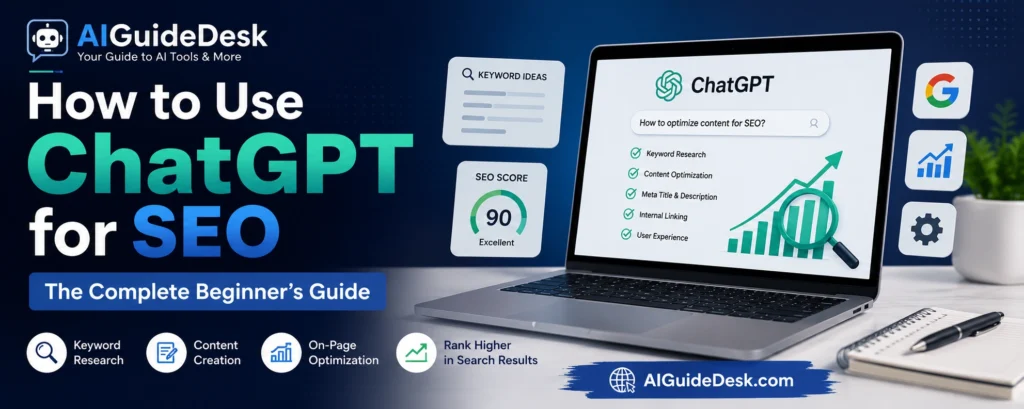
Learn how to use ChatGPT for SEO in 2026. Discover practical ways to find keywords, create content, optimize on-page SEO, improve rankings, and avoid common mistakes.
Search engine optimization has changed dramatically over the past few years.
Not long ago, SEO professionals spent hours researching keywords, planning content, writing meta descriptions, building outlines, and optimizing articles manually. Today, artificial intelligence has made many of these repetitive tasks much faster.
Among all AI tools available, ChatGPT has become one of the most popular assistants for SEO professionals, bloggers, freelancers, marketers, and business owners.
However, there’s an important misconception that beginners often have.
Many believe ChatGPT can rank a website simply by generating articles.
It can’t.
Google doesn’t rank content because it was written by AI or by a human. It ranks content that genuinely helps users, demonstrates expertise, answers search intent, and provides a better experience than competing pages.
That’s why successful SEO professionals don’t use ChatGPT as an automatic content generator.
They use it as an intelligent assistant.
It helps brainstorm ideas, organize information, improve readability, generate outlines, create metadata, simplify research, and speed up repetitive work while leaving the final decisions to the human editor.
In this guide, you’ll learn exactly how to use ChatGPT throughout the SEO process—from keyword research and content planning to on-page optimization and content updates—while avoiding the common mistakes that prevent many AI-generated articles from performing well.
Why SEO Professionals Use ChatGPT
Imagine you’re planning to publish ten articles this month.
Before writing even a single paragraph, you need to:
- Find topics people are searching for.
- Understand search intent.
- Build article outlines.
- Decide on headings.
- Write title tags.
- Create meta descriptions.
- Plan internal links.
- Optimize readability.
- Prepare FAQ sections.
Completing these tasks manually can take several hours for every article.
ChatGPT doesn’t replace your SEO knowledge, but it dramatically reduces the time required to complete these repetitive tasks.
Instead of spending your energy on formatting and brainstorming, you can focus on research, accuracy, and creating original insights that genuinely help readers.
Before using ChatGPT for SEO, it’s important to understand how to write effective prompts. If you’re new to prompt engineering, check out our AI Prompting Guide to learn the fundamentals.
Can ChatGPT Improve Google Rankings?
This is one of the most common questions beginners ask.
The answer is yes—but indirectly.
ChatGPT cannot guarantee higher rankings.
It cannot submit your website to Google.
It cannot build authority on its own.
It cannot earn backlinks automatically.
What it can do is help you create better-structured, more comprehensive, and easier-to-read content.
If that content also satisfies user intent, demonstrates expertise, and is supported by proper technical SEO, it has a much better chance of performing well in search results.
Think of ChatGPT as a productivity tool, not a ranking shortcut.
Before Using ChatGPT for SEO
Before opening ChatGPT, you should already know four things:
1. Your Target Audience
Who are you writing for?
Beginners need simple explanations.
Experts expect detailed analysis.
Your content should match the reader’s knowledge level.
2. Search Intent
Every keyword has a purpose.
Someone searching:
“Best AI Tools”
wants recommendations.
Someone searching:
“How to Use ChatGPT for SEO”
wants step-by-step guidance.
Understanding this difference is often more important than finding the keyword itself.
3. Your Goal
Ask yourself:
Are you trying to:
- Increase organic traffic?
- Generate leads?
- Sell a product?
- Build authority?
- Educate readers?
Your SEO strategy should support that goal.
4. Reliable Information
ChatGPT can help organize information, but it shouldn’t be your only source for statistics, recent updates, or technical SEO changes.
Always verify important facts using trusted sources before publishing.
11 Practical Ways to Use ChatGPT for SEO
Instead of asking ChatGPT to “write an article,” use it throughout your workflow.
The following methods are where ChatGPT delivers the greatest value.
1. Brainstorm Content Ideas
One of the hardest parts of SEO isn’t writing.
It’s deciding what to write about.
If your website covers AI tools, simply asking:
“Give me blog ideas”
will usually produce generic suggestions.
A better approach is to provide context.
For example:
“Suggest beginner-friendly article ideas for an AI tools blog targeting freelancers and small business owners.”
This helps ChatGPT generate ideas that are more relevant to your audience and website goals.
Rather than publishing random articles, you can build topic clusters that strengthen your site’s authority over time.
Pro Tip
Ask ChatGPT to organize ideas into:
- Beginner topics
- Intermediate topics
- Advanced topics
This creates a logical publishing roadmap and improves your internal linking strategy.
Why It Matters
Well-planned content clusters make it easier for both users and search engines to understand your website’s expertise.

2. Find Keyword Ideas Faster
Many beginners assume ChatGPT is a keyword research tool.
It isn’t.
ChatGPT doesn’t have access to live search volume or keyword difficulty unless it’s connected to external data sources. However, it’s excellent at generating keyword ideas based on topics, user intent, and content clusters.
Think of ChatGPT as your brainstorming partner rather than your keyword database.
For example, if your niche is AI tools, don’t ask:
“Give me SEO keywords.”
Instead, provide context like this:
“Suggest informational, commercial, and comparison keywords for an AI tools website targeting beginners.”
The results will be much more relevant and easier to organize into a content strategy.
Why This Method Works
Instead of producing one article idea, ChatGPT can help you build an entire topic cluster.
For example:
Main Topic: ChatGPT
Supporting articles could include:
- How to Use ChatGPT for SEO
- Best ChatGPT Prompts for Bloggers
- ChatGPT for Email Writing
- ChatGPT vs Gemini
- Common ChatGPT Mistakes
- ChatGPT for Small Businesses
These related articles strengthen your topical authority and create natural opportunities for internal linking.
Pro Tip
After generating ideas, verify them using keyword research tools such as Google Search Console, Google Keyword Planner, Ahrefs, or SEMrush before deciding which topics to publish.
3. Create Better Article Outlines
Many writers make one common mistake.
They open a blank document and immediately start writing.
Without a clear structure, articles often become repetitive, difficult to read, and incomplete.
ChatGPT can solve this problem by creating organized outlines before you begin writing.
For example, instead of asking:
“Write an article about AI tools.”
Ask:
“Create a detailed SEO outline for an article targeting beginners. Include H2 and H3 headings, FAQs, comparison opportunities, and a logical flow.”
The outline becomes your roadmap.
Instead of wondering what comes next, you simply expand each section with original insights and examples.
Why Outlines Matter
A good outline helps you:
Cover the topic completely.
- Avoid repeating information.
- Improve readability.
- Create logical heading structures.
- Keep readers engaged from start to finish.
Pro Tip
Never publish the outline exactly as ChatGPT generates it.
Add your own sections based on your experience, competitor research, and audience needs.
That’s what makes your article unique.
If you’re wondering whether ChatGPT is the right AI assistant for SEO, read our detailed ChatGPT vs Gemini vs Claude comparison.
4. Improve Existing Content Instead of Rewriting It
One of the smartest ways to use ChatGPT is improving content you’ve already published.
Many websites have articles that receive some traffic but never reach the first page of Google.
Instead of writing new articles every week, review older content and look for opportunities to improve it.
For example, you can ask ChatGPT:
“Review this article and identify sections that need more detail, better organization, or clearer explanations. Do not rewrite the entire article.”
This approach preserves your original work while making it more useful for readers.
What ChatGPT Can Help Improve
- Weak introductions
- Missing explanations
- Confusing paragraphs
- Repetitive sentences
- Readability
- Heading organization
- FAQ suggestions
Pro Tip
Update your best-performing articles every few months by adding fresh examples, new insights, updated screenshots, and recently published information.
Google often rewards content that remains accurate and helpful over time.
5. Write Better SEO Titles
Your title is usually the first thing people notice in search results.
Even if your content is excellent, a weak title can reduce clicks.
ChatGPT can generate multiple headline ideas based on your focus keyword and audience.
Instead of requesting a single title, ask for several options with different styles.
For example:
“Generate 10 SEO-friendly titles under 60 characters for the keyword ‘How to Use ChatGPT for SEO’. Include numbers, power words, and clear search intent.”
After reviewing the suggestions, choose the one that best matches your article rather than automatically selecting the first result.
Characteristics of a Strong SEO Title
- Includes the primary keyword naturally.
- Clearly explains the article’s value.
- Matches user intent.
- Avoids clickbait.
- Stays within recommended length.
Example
Instead of:
ChatGPT SEO Guide
Try:
6. Generate Better Meta Descriptions
A meta description doesn’t directly improve rankings, but it can improve click-through rates by encouraging people to visit your page.
ChatGPT can quickly generate multiple meta description ideas based on your article.
A useful prompt might be:
“Write five compelling meta descriptions under 155 characters for an article about using ChatGPT for SEO.”
When reviewing the suggestions, check that they:
- Include the focus keyword naturally.
- Clearly explain the benefit.
- Encourage users to click.
- Accurately represent the page content.
Avoid misleading descriptions just to attract clicks. If visitors don’t find what they expect, they’ll leave quickly, which creates a poor user experience.
Common Mistake to Avoid
Many beginners ask ChatGPT to:
“Write a complete SEO article.”
The result is often generic because the prompt is generic.
A better workflow looks like this:
- Research the keyword.
- Understand search intent.
- Create an outline.
- Write each section individually.
- Add your own examples and expertise.
- Edit and optimize before publishing.
Using ChatGPT as an assistant throughout the process produces much stronger content than relying on it to generate everything in one step.
7. Use ChatGPT to Improve On-Page SEO
Writing a good article is only half the job.
If your content isn’t properly optimized, search engines may struggle to understand its topic, and readers may find it difficult to navigate.
This is where ChatGPT can save a significant amount of time.
Instead of manually reviewing every heading, paragraph, and transition, you can ask ChatGPT to evaluate your content from an on-page SEO perspective.
For example, you can use prompts like:
“Review this article and suggest improvements for heading structure, readability, keyword placement, and user experience without changing the main message.”
Notice the difference.
You’re asking ChatGPT to improve your content—not replace it.
ChatGPT Can Help You Check
- Heading hierarchy (H2 and H3)
- Paragraph length
- Readability
- Repetitive wording
- Missing transitions
- Overused keywords
- Opportunities for FAQs
What You Should Still Check Yourself
ChatGPT cannot reliably evaluate:
- Actual keyword rankings
- Page speed
- Core Web Vitals
- Broken links
- Schema markup
- Search Console performance
These require dedicated SEO tools.
Pro Tip
After finishing an article, wait a few hours before reviewing it with ChatGPT. Looking at the content with fresh eyes often leads to better improvements.

8. Create Better Internal Linking Opportunities
Internal linking is one of the most overlooked parts of SEO.
Many website owners publish dozens of articles but never connect them together.
As a result, readers leave after viewing a single page, and search engines have a harder time understanding how the content relates.
ChatGPT can help identify natural internal linking opportunities.
For example, if you’ve written an article about ChatGPT for SEO, ChatGPT might suggest linking to articles about:
- AI keyword research
- Best AI writing tools
- ChatGPT prompts
- AI blogging tools
- Content marketing strategies
Instead of inserting links randomly, place them where they genuinely help the reader continue learning.
Why Internal Links Matter
Good internal linking can:
- Help readers discover more content.
- Increase time spent on your website.
- Strengthen topical authority.
- Help search engines crawl important pages.
- Distribute authority across related articles.
Pro Tip
Whenever you publish a new article, update two or three older articles with links pointing to it.
This creates a stronger content network over time.
9. Generate FAQ Sections
Many users ask similar questions before clicking on an article.
Including a helpful FAQ section answers these concerns and can improve the overall user experience.
ChatGPT can brainstorm relevant questions based on the article topic.
For example:
“Generate 10 beginner-friendly FAQs about using ChatGPT for SEO.”
Review the suggestions carefully and answer each question in your own words whenever possible.
Good FAQ Topics
- Is ChatGPT good for SEO?
- Can ChatGPT replace SEO tools?
- Does Google allow AI-generated content?
- How do I write better prompts?
- Can ChatGPT perform keyword research?
Choose questions that naturally fit your article instead of adding unnecessary ones just to increase word count.
10. Refresh Old Content
Publishing new articles is important.
Updating existing ones is equally valuable.
Many websites focus only on creating fresh content while ignoring pages that already receive traffic.
Refreshing an article often requires much less effort than writing a completely new one.
ChatGPT can help identify:
- Outdated information
- Missing sections
- Weak introductions
- Better examples
- Opportunities to improve clarity
For example, ask:
“Suggest five ways to improve this article for readers without changing its overall topic.”
This keeps your content useful and relevant over time.
What to Update Regularly
- Statistics
- Screenshots
- Tool recommendations
- Examples
- FAQs
- Internal links
Small improvements made consistently can have a significant long-term impact.
11. Brainstorm Content Clusters
Publishing random articles rarely builds authority.
Successful websites organize content into related groups known as content clusters.
ChatGPT can help map these clusters before you start writing.
For example, if your main topic is SEO, a cluster might look like this:
Pillar Article
- How to Use ChatGPT for SEO
Supporting Articles
- Best AI Tools for SEO Content Writing
- ChatGPT Prompts for SEO
- Common SEO Mistakes Beginners Make
- How to Write SEO-Friendly Blog Posts
- AI Keyword Research Guide
- On-Page SEO Checklist
- SEO Content Brief Template
Each supporting article links back to the pillar page, while the pillar page links to each supporting article.
This creates a logical structure that’s helpful for both readers and search engines.
Pro Tip
Plan at least 10 related articles before publishing the first pillar page.
That way, your internal linking strategy is already in place as your site grows.
Common SEO Mistakes When Using ChatGPT
Many beginners reduce the effectiveness of ChatGPT by making avoidable mistakes.
Here are the most common ones:
1. Publishing AI Content Without Editing
AI-generated drafts should be the starting point—not the finished product.
Always review, improve, and personalize the content before publishing.
2. Stuffing Keywords Everywhere
Repeating the same keyword in every paragraph doesn’t improve rankings.
Use your focus keyword naturally and include related terms where appropriate.
3. Ignoring Search Intent
A well-written article can still fail if it doesn’t answer the question users actually searched for.
Understand why someone searched for the keyword before writing.
4. Writing Without Competitor Research
Don’t rely only on ChatGPT.
Review the pages already ranking for your target keyword to understand what readers expect.
5. Skipping Human Experience
Readers value practical advice, personal insights, and real examples.
Add your own experience whenever possible to make your content more trustworthy and unique.
12. Write Better SEO Prompts
The quality of ChatGPT’s response depends largely on the quality of your prompt.
Many beginners type only a few words and expect expert-level results.
For example, this prompt is too vague:
“Write an SEO article.”
- ChatGPT has no idea:
- Who the audience is.
- Which keyword you’re targeting.
- How long the article should be.
- What tone to use.
- What search intent to satisfy.
A detailed prompt produces much better results.
For example:
“Create an SEO-friendly outline for a beginner’s guide on using ChatGPT for SEO. Include H2 and H3 headings, FAQs, practical examples, and a logical flow. The tone should be educational and easy to understand.”
The second prompt provides enough context to generate a useful starting point.
Elements of a Good SEO Prompt
A strong prompt usually includes:
- Target keyword
- Target audience
- Search intent
- Desired tone
- Article length
- Required headings
- Examples or case studies
- Goal of the content
The more specific your instructions, the more useful the output becomes.
Once you’ve learned how to create SEO-friendly content with ChatGPT, you can also explore practical ways to monetize your skills in our guide on How to Make Money with AI.
13. Combine ChatGPT With Other SEO Tools
One of the biggest misconceptions is that ChatGPT can replace every SEO tool.
It can’t.
Professional SEO usually involves multiple tools, each serving a different purpose.
A practical workflow looks like this:
| Task | Recommended Tool |
| Keyword Research | Google Keyword Planner, Ahrefs, SEMrush |
| Search Intent Analysis | Google Search Results |
| Content Planning | ChatGPT |
| Writing & Editing | ChatGPT |
| Grammar Review | Grammarly |
| Technical SEO | Google Search Console |
| Performance Tracking | Google Analytics |
Each tool contributes something different.
ChatGPT is excellent for planning, brainstorming, and improving content, while dedicated SEO platforms provide the data needed to make informed decisions.
14. A Simple ChatGPT SEO Workflow
If you’re new to SEO, you don’t need a complicated system.
Here’s a practical workflow you can follow for every article.
Step 1: Find a Keyword
Use a keyword research tool to identify a topic people are actively searching for.
Step 2: Understand Search Intent
Study the pages already ranking on Google.
Ask yourself:
- What questions are they answering?
- What type of content are users expecting?
- What information is missing?
Step 3: Build an Outline
Use ChatGPT to create a logical structure.
Then improve it by adding your own ideas.
Step 4: Write Each Section
Instead of generating the entire article in one request, write one section at a time.
This gives you more control over quality and accuracy.
Step 5: Edit Everything
Review every paragraph.
Improve transitions.
Add examples.
Remove repetitive wording.
Verify facts.
Step 6: Optimize
Write:
- SEO title
- Meta description
- Internal links
- FAQ section
- Image alt text
For the SEO title and meta description specifically, AIguideDesk’s free Meta Tags Generator can format them correctly in one step.
Step 7: Publish and Improve
SEO isn’t finished after publishing.
Monitor performance in Google Search Console, update the article regularly, and continue improving it based on user behavior and new information.
Can Google Detect ChatGPT Content?
This question appears in almost every SEO discussion.
The more useful question is:
Does Google care who wrote the content?
Google’s primary focus is the quality of the content—not whether it was created with AI assistance or written entirely by a person.
If your article is accurate, original, well-organized, and genuinely helpful, AI assistance alone is not the deciding factor.
On the other hand, publishing large amounts of low-quality, repetitive, or unhelpful content is unlikely to perform well, regardless of how it was created.
The safest approach is to use ChatGPT as an assistant rather than an automatic publisher.
FAQs
Is ChatGPT good for SEO?
Yes. ChatGPT is useful for brainstorming ideas, creating outlines, improving readability, writing meta descriptions, generating FAQs, and organizing content. It should be combined with keyword research and human editing for the best results.
Can ChatGPT replace SEO experts?
No. Experienced SEO professionals analyze search intent, technical SEO, user behavior, competitor strategies, and website performance—tasks that require human judgment and specialized tools.
Can ChatGPT perform keyword research?
ChatGPT can generate keyword ideas and organize topics into clusters, but it doesn’t provide reliable search volume or keyword difficulty data. Use dedicated keyword research tools to validate your ideas.
Is AI-generated content bad for Google rankings?
Not necessarily. The quality, usefulness, originality, and relevance of the content matter far more than whether AI was used during the writing process.
What’s the biggest mistake beginners make?
Treating ChatGPT as a complete SEO solution. Successful SEO combines research, strategy, optimization, technical improvements, and continuous updates.
Should I publish ChatGPT content without editing?
No. Always review, verify facts, improve the wording, add original insights, and ensure the content matches your audience’s needs before publishing.
More in AI for SEO

Free SEO Tools: Check Keywords, Meta Tags and Sitemaps in Your Browser
SEO work involves small, exact jobs: checking keyword use, writing meta tags, generating a robots.txt file, adding schema markup, previewing a search snippet, and…

12 Best AI Tools for SEO Content Writing (Free & Paid)
Discover the 12 best AI tools for SEO content writing. Compare ChatGPT, Claude, Surfer SEO, Perplexity, Jasper, and more with real use cases, practical…